
Your AI-powered studio companion, built into Waveform so you never have to leave your session.
Built into Waveform
Meet your studio companion
No context switching. No copy-pasting. Assistant lives right inside Waveform and already knows your session: your arrangement, genre, tempo, and tracks. Every response is grounded in what you're actually working on.
Human expertise meets frontier AI
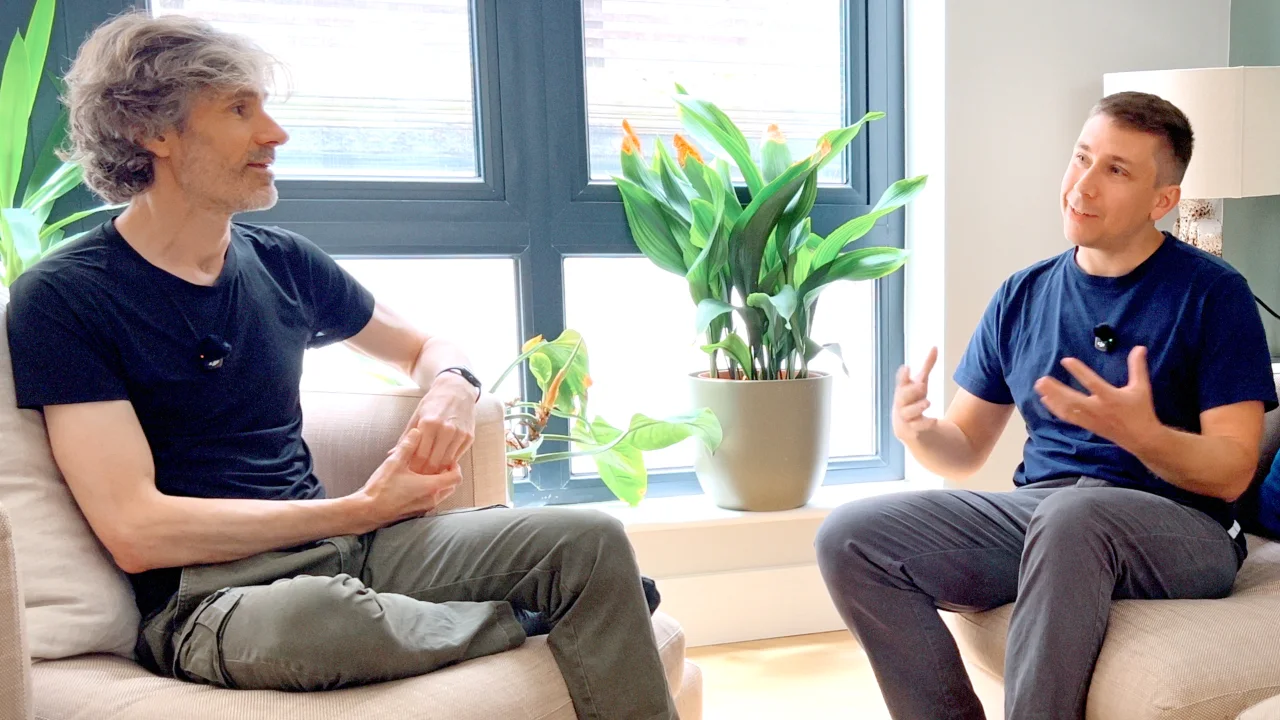
Not just an AI. A trained one.
Assistant is integrated with Waveform and layers Tracktion's musical and technical expertise on top of the LLM. You get the raw power of AI models shaped by people who understand music production and audio engineering.
Your entire studio in a conversation
From chord extraction and MIDI generation to keyboard shortcuts and JavaScript macros, if you can do it in Waveform, you can ask Assistant to help.
- Generate MIDI.
- Basslines, melodies, drum patterns, and arpeggios. Generated in your key, at your tempo, tailored to your genre.
- Mixing & arrangement advice.
- Context-aware tips on EQ, compression, transitions, and song structure based on your actual session.
- Smart library search.
- Describe a sound in plain English. Assistant searches synonyms and semantic matches across your preset and sample library.
- Plugin control.
- Add plugins by name, load presets, and read and change parameters. All from the chat panel.
- Keyboard shortcuts.
- Look up, trigger, create, and reassign Waveform shortcuts without touching the settings page.
- JavaScript macros.
- Generate, save, and bind custom automation scripts to shortcuts. In plain English, in seconds.
You hired a studio.
Now focus on the music.
When a band walks into a professional recording studio, they don't worry about the console or the routing. The studio handles all of that. Their job is to play.
That's the idea behind Waveform Assistant. Handle the technical side collaboratively so you can stay in the creative headspace that actually matters. The more of Waveform Assistant can see and touch, the more it can do on your behalf. And as frontier AI models improve, so does every conversation.
Commands, context, and conversation
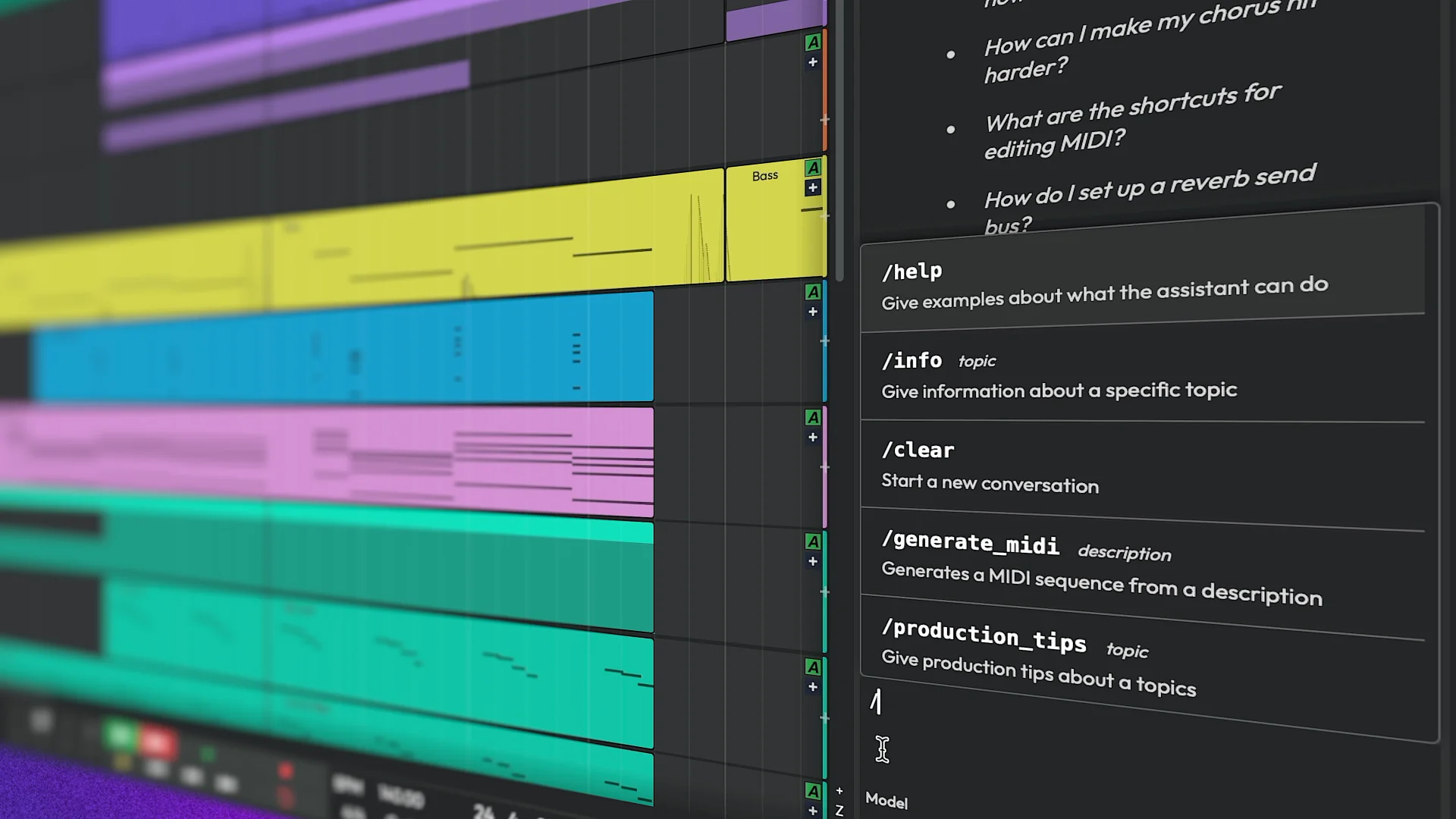
Type / to see built-in slash
commands for common tasks. Ask what's new, or just start talking. Assistant is conversational and will guide you through what's possible.
- Melodies, basslines, and drums on demand.
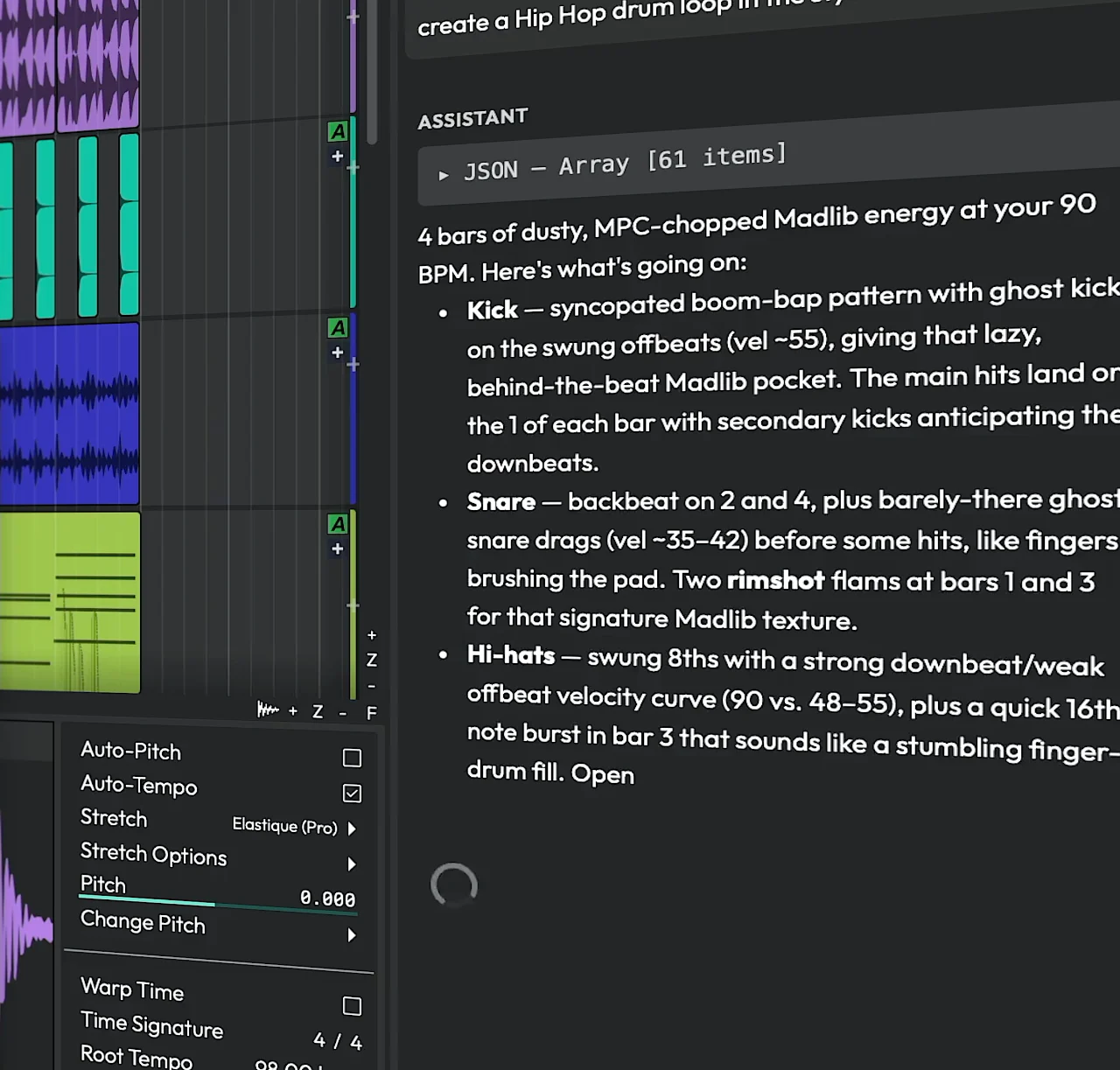
- Tell Assistant what you need and it generates MIDI sequences sized for your arrangement, shaped to your genre. Drag them straight to a track. Iterate with natural language.
- Melody to a chord sequence in seconds.
- Select a MIDI clip and ask Assistant to analyse it and suggest a matching chord sequence. Then build from there: substitutions, reharmonisation, voice leading, all in conversation.
- A mix engineer who knows your session.
- Ask about your kick drum, your vocal chain, your low-end clash. Assistant combines frontier model knowledge with the context of your actual tracks to give advice that's specific to what you're hearing.
- Build custom tools in plain English.
- Describe a workflow step and Assistant writes the JavaScript. Save it to your macro library, bind it to a shortcut. Automation you would have spent an hour building, done in under a minute.
Frequently asked questions
-
Yes, entirely opt-in. The AI panel is visible by default so you know where to find it, but it won't do anything until you add an API key in settings. Don't want it at all? Disable the panel entirely from AI settings.
-
LLM platforms have reached a level of maturity where we can build something genuinely useful rather than gimmicky. The tooling, reliability, and capabilities simply weren't ready a year ago.
-
The assistant is built on a Waveform-specific system prompt that shapes its behavior and capabilities. From there it receives context from your current session (arrangement, genre, track info) so responses stay relevant to what you're actually working on. It also has access to a set of local tools for reading the user manual, browsing your preset library, reading or writing keyboard shortcuts, and running JavaScript macros.
All of this gets packaged up and sent to your chosen AI provider, which streams a response back into the chat. Relevant parts of that response are turned into interactive buttons or drag-and-drop sources you can use directly in your session. -
BYOK keeps things simple. You're not locked to a single provider, and you manage your own token usage and costs directly with the provider you choose. As BYOK becomes more common, most users will already have API keys set up for their preferred models.
-
- Generate MIDI. Melodies, bass lines, drum patterns, and arpeggios, dropped straight onto a track as editable notes with realistic velocity and groove.
- Suggest chords & harmony. Chord progressions, substitutions (tritone subs, modal interchange, secondary dominants), voice leading, and reharmonization, working within or deliberately against your project’s key.
- Mixing guidance. EQ cuts and boosts, compression settings (threshold, ratio, attack, release), and spatial effects (reverb, delay) tailored to each instrument and genre.
- Arrangement & song-structure advice. Section order, transitions, energy builds, drops, fills, instrumentation, and layering, referencing your actual tracks.
- Search, inspect & control plugins. Find available plugins, synths, and effects, read and change parameters, and load presets, all driven through scripts you click Run to apply.
- Browse your preset & sample library. Find sounds in your installed library (“a warm pad”, “punchy snare”) and surface draggable picks you can drop onto a track.
- Keyboard shortcuts. Look up, assign, and remove Waveform shortcuts, shown as interactive buttons.
- Answer “how do I…” questions. Pulls from the Waveform user manual to explain features, panels, menus, and workflows.
- Genre-specific production advice. Conventions and sound choices for EDM, hip-hop/trap, jazz, pop, rock, classical, lo-fi, and more.
- Remember your preferences. Recalls and stores preferences and project notes across conversations.
- Create JavaScript macro scripts. Write reusable automation scripts, save them to your macro library, and bind them to shortcuts.
- Run your custom slash commands & skills. Execute user-created prompt templates (/name) and reusable skill instructions.
-
We'll be exposing more of Waveform to Assistant over time, including things like rendering, audio analysis, and new capabilities as we add them to the app. The more of Waveform that Assistant can access, the more it can do on your behalf: faster conversations, more grounded answers, and a wider range of useful tasks.
-
Time-consuming and repetitive tasks become quick. You stay in your creative flow instead of getting pulled out by technical busywork. Assistant is there when you need it, invisible when you don't.
-
It's made some long-deferred work practical. Tasks like changing the project format or adding multi-channel support touch so much of the codebase that doing them purely by hand would have taken far too long. AI lets us direct coding agents with architectural precision, review the output, and ship things we'd previously put off. We still write plenty of code by hand (it's a good way to understand it deeply), but AI has added a higher-level mode of working that makes the team more productive.
-
Tracktion sees none of your session data, period. Waveform does send session information (and potentially selected MIDI) to your chosen AI provider to generate responses. You can configure your provider's data retention and training opt-out settings directly in their dashboard. Your music is yours.
-
Just chat with it. Ask what it can do, or try one of the built-in examples shown in the panel. Type “/” to see the list of built-in commands, or replicate something from the training materials. Assistant is conversational and will guide you through what's possible.
-
Of course. Paid product support is still available through our standard support system, and the Discord community is always open for questions, tips, and conversation.
-
Only if you ask it to. Assistant can generate MIDI sequences and help with ideas, but it's not a one-prompt “make me a song” tool. It's designed to handle the time-consuming or technically fiddly parts of production so you can stay focused on the creative decisions that actually matter.
An assistant that grows with you
Waveform Assistant keeps getting smarter as deeper DAW control comes online, bringing faster answers, more creative options, and production help that stays connected to your session.
- Zero setup, every session
- Assistant reads your arrangement, chord track, genre info, and selected clips automatically. The more you work, the more it understands.
- No lock-in, no subscription
- Use OpenAI or Anthropic with your own API key. Switch providers anytime. You control your costs, your data, and your creative tools.
- New capabilities over time
- As Waveform exposes more of itself to Assistant, it gets more powerful. Rendering, audio analysis, and deeper DAW control are coming.

Discord community
Connect with creators who are exploring AI-assisted music production every day. Share knowledge and swap workflows.
- Share tips and tricks
- Swap skills & resources
- Vote on feature requests
- Shape the future of the assistant
- Connect with fellow producers and engineers
- Get early feedback on new AI features and updates
- Purchase options
- Waveform Pro bundles from $249, upgrade options from $149
- What's included
- Waveform Pro, 38 built-in audio effects, 10 MIDI effects, 11 utility plugins, 10 built-in instruments, DAW Essentials Collection, Artisan Collection, Collective 2, BioTek 3, Auto-Tune®, Melodyne Essential, Elastique Pro, Sanfilippo Imagina drum loop library, Drum Sampler, Attracktive, Subtractive
- Expansion sound packs included
- Hip Hop Essentials, Techno Essentials, House Essentials, Drum & Bass Essentials, Electronic Essentials, Band Essentials, Solo Orchestral, Essential Drums
- Feature expansion packs included
- Recording Engineer, MIDI Producer, Synth Pack, DJ Mix Tools, Pro Video, Launcher, Multi Channel
- System requirements
-
-
 macOS 13 or Later
64-bit Intel or Apple Silicon -
 Windows 10, 11
64-bit -
 Tested on Ubuntu 24.04 64-bit
-
